 easy projects
EasyGeneral
Watercolor Agency Website
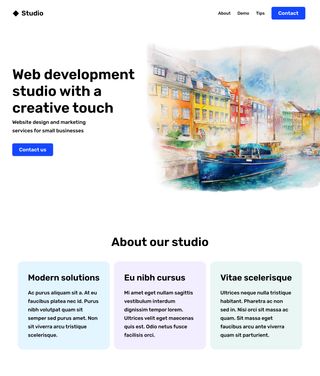
Build a minimalist home page with a hero section including a creative watercolor effect.
Start Now

Downloadable Assets

Paid Help

👤 Client Story:
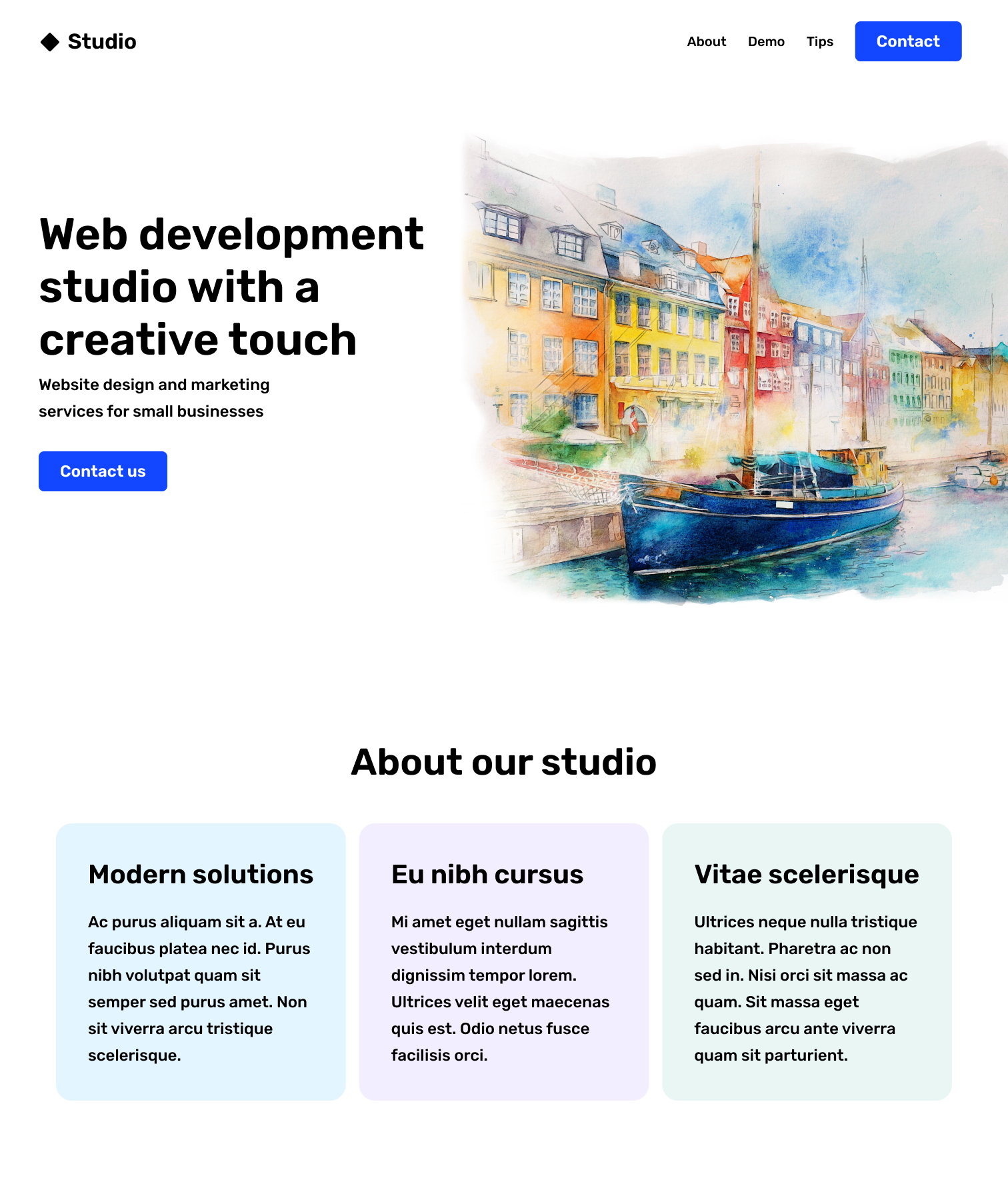
We are a creative agency focused on captivating world of art and primarily build art-related portfolios. Over time, our agency has grown, and now we're ready to showcase our unique approach to this niche through an updated design. We're excited to see our Figma designer's vision come to life. For our next meeting, we only want to establish the "Hero" section including the main image, title and "Contact us" button. We don't need responsive sizing, we'll just be displaying it on a large computer screen.
Can you build a functional prototype for the home page?
🚀 Summary
This project will help you practice "CSS Flexbox" principles and necessitate understanding of the box-model for padding and margin.
📗 Recommended Pre-study
CSS Box-model
https://css-tricks.com/the-css-box-model
CSS Flexbox practice game
https://flexboxfroggy.com/](https://flexboxfroggy.com
CSS Flexbox
https://css-tricks.com/snippets/css/a-guide-to-flexbox
📋 Project Requirements:
Goal: Create an eye-catching hero section for the Home page.
-
Navigation Bar:
- Not included in "Easy" level
-
Hero Section:
- Center the text between the top and the bottom of the image.
(Hint: try display:flex; and align-items:center;) - Use padding to keep the text from touching the edge of the website or the artwork.
- Use margins to add other spacing.
- Don't include responsive sizing (phone-size). Only check that it looks correct on desktop-size screens.
- Center the text between the top and the bottom of the image.
-
"About our Studio" Blocks:
- Not included in "Easy" level
⚠️ Challenge
Try building the "About our Studio" Blocks with display:flex; and justify-content:space-between;
Video Courses
Uncertain?
Join a Video Course.
Each detailed project walkthrough provides repetitive practice for confidence building, as well as unique features to build your own library of reference material.
 Reusable code
 Step-by-step tutorial
 Solution code included

 Courses
